


Computer Desks: How Do You Choose the Right One?
Computer Desks: What Should You Consider Before Buying?
If you need to buy computer desks in Kenya, choose a desk that provides enough space for your computer, monitor, keyboard, accessories, and daily work while keeping your workspace comfortable and organised. The right computer desk should fit your room, support your equipment, and provide practical cable management and storage where necessary.
Jobel Services helps customers looking for furniture and workspace solutions in Nairobi. Before choosing a computer desk, consider its dimensions, construction, layout, storage options, and intended use. These factors can help you avoid buying a desk that is too small, difficult to use, or unsuitable for your equipment.
When comparing computer desks, check the following:
- Size: Make sure the desktop accommodates your monitor, keyboard, mouse, and other equipment.
- Height: Choose a desk that supports a comfortable working position.
- Storage: Decide whether you need drawers, shelves, or space for a computer tower.
- Cable management: Look for practical ways to organise power and data cables.
- Durability: Compare the desktop material, frame construction, and overall stability.
- Room layout: Leave enough space for your chair, movement, and other furniture.
For help identifying a suitable option, contact Jobel Services at Gikomba, Beaver House, opposite NCBA Bank, Nairobi. You can also share your room measurements and photos of your intended workspace before making a purchase.
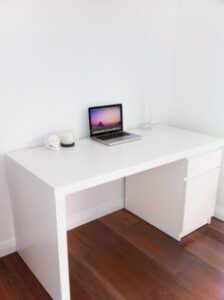
https://jobelservices.co.ke/product/office-desk/
What Are Computer Desks?
Computer desks are work surfaces designed to accommodate computers and the accessories needed for digital tasks. Depending on the design, they may include monitor space, keyboard trays, drawers, shelves, cable openings, and dedicated areas for computer towers.
These desks support activities such as office administration, online meetings, studying, programming, graphic design, accounting, and general computer use.
Unlike a basic writing desk, a computer desk may provide additional space for electronic equipment and cable organisation. However, not every model includes these features. Therefore, compare the actual design with your equipment and working requirements before buying.
https://primepathsolutions.co.ke/shop/
Why Are Computer Desks Important?
A suitable computer desk makes it easier to organise equipment, complete daily tasks, and maintain a functional workspace.
1. They Keep Equipment Organised
Computers often require several accessories, including monitors, keyboards, mice, speakers, chargers, and external storage devices. A properly sized desk provides space for these items without overcrowding the work surface.
As a result, you can access essential equipment more easily and keep frequently used items within reach.
2. They Support Comfortable Computer Use
Desk dimensions affect your posture and the position of your screen, keyboard, and mouse. A suitable desk helps you arrange these items more comfortably.
However, the desk alone does not guarantee good ergonomics. Your chair, monitor position, and keyboard placement also matter.
3. They Improve Workspace Efficiency
A well-planned desk reduces clutter and helps you organise documents, accessories, and equipment. This is especially useful in offices where employees spend several hours working on computers.
4. They Help Protect Equipment
A stable desk provides a reliable surface for monitors and other equipment. Suitable cable management can also reduce tangled wires and help prevent cables from being pulled accidentally.
What Types of Computer Desks Can You Choose?
Computer desks come in different designs. The most suitable option depends on your available space, equipment, and working habits.
1. Standard Computer Desks
Standard computer desks provide a straightforward work surface for a monitor, keyboard, mouse, and other essential items.
They suit home offices, small businesses, study rooms, and general administrative work. Choose a model with enough depth to position your monitor at a comfortable viewing distance.
2. Computer Desks With Drawers
These desks include drawers for documents, stationery, notebooks, and smaller accessories.
They are useful when you want to keep the desktop clear. Before buying, check the drawer dimensions and confirm that the handles and drawers will not interfere with your chair or legroom.
3. Computer Desks With Shelves
Shelved computer desks provide additional storage for books, printers, files, and selected accessories.
They can help maximise vertical space in smaller rooms. However, ensure that the shelves do not obstruct monitor placement or make frequently used equipment difficult to reach.
4. L-Shaped Computer Desks
L-shaped computer desks provide two connected work surfaces. They are useful for users who need separate areas for computer work, paperwork, meetings, or additional equipment.
Before purchasing one, measure both sides of the intended corner. Also, check whether the desk’s return section can be positioned on the required side.
5. Compact Computer Desks
Compact desks suit bedrooms, student rooms, small offices, and other spaces where floor area is limited.
They typically provide space for essential equipment without requiring a large footprint. Nevertheless, confirm that the desk can accommodate your actual monitor, keyboard, mouse, and any additional devices.
6. Executive Computer Desks
Executive computer desks combine computer functionality with a larger work surface and, in some designs, additional storage.
They can suit managers, business owners, and professionals who need space for both digital work and paperwork. Compare the dimensions carefully because a large desk may overwhelm a small office.
7. Multi-User Computer Workstations
Multi-user computer workstations accommodate several users within a shared area. Businesses, schools, training centres, and computer laboratories may use them to organise multiple computers efficiently.
When selecting this type, consider the number of users, available power outlets, cable routing, desk spacing, and the room’s overall layout.
How Do You Choose the Right Computer Desk?
Before buying computer desks, evaluate the following factors.
1. Measure Your Available Space
Start by measuring the width and depth of the area where you intend to place the desk. Also, account for skirting boards, doors, windows, sockets, and nearby furniture.
Next, allow sufficient room for your chair to move backwards. You should also be able to enter and leave the workspace without difficulty.
For corner desks, measure both sides of the corner. For shared workstations, consider the space required by each user.
Buying tip: Send the supplier your measurements and a photo of the intended location. This makes it easier to identify a desk size that suits your room.
2. Check the Desktop Dimensions
The desktop must accommodate all your essential equipment.
For example, a setup with one laptop requires less space than a workstation with two monitors, a full-sized keyboard, a printer, and several accessories.
Before purchasing, list the equipment you plan to use. Then compare the list with the desk’s usable surface area.
Pay attention to depth as well as width. A desk may appear wide enough but still provide insufficient room for your monitor and keyboard.
3. Consider Desk Height
Desk height affects how comfortably you can use your keyboard and mouse.
When seated, your shoulders should remain relaxed, and your elbows should sit comfortably near your sides. Your keyboard and mouse should be positioned so that you do not need to raise your shoulders or bend your wrists excessively.
If several people will use the same desk, consider their different heights and seating arrangements. An adjustable-height desk may be useful where the budget and workspace requirements allow it.
4. Decide How Much Storage You Need
Some users need only a clear desktop. Others require drawers, shelves, or space for documents and computer accessories.
Consider whether you need to store:
- Files and paperwork.
- Chargers, cables, and adapters.
- Notebooks and stationery.
- Printers and scanners.
- Computer towers and accessories.
- Personal items used during the working day.
Choose storage that matches your needs without sacrificing essential legroom.
5. Look for Cable Management Features
Computers often involve multiple power and data cables. Without proper organisation, these cables can create clutter and make cleaning difficult.
Useful features may include cable openings, clips, trays, or dedicated routes behind the desk.
If the desk does not include built-in cable management, consider whether you can add suitable accessories safely. Keep cables away from moving chair parts and walkways, and avoid overloading electrical sockets.
6. Compare Materials and Construction
Computer desks are available in different materials and construction styles. Each option has its own benefits.
- Engineered wood: Often provides an affordable option for home and office use. Check the finish and resistance to everyday wear.
- Solid wood: Can offer durability and a distinctive appearance, depending on the wood and construction.
- Metal frames: Can provide structural support when properly designed and assembled.
- Laminate surfaces: Can offer a practical, easy-to-clean finish when maintained correctly.
Do not judge quality by appearance alone. Inspect the joints, frame, desktop support, edges, and overall stability.
7. Check Computer Tower and Printer Space
Desktop computer users may need a dedicated area for a computer tower. Before buying, measure the tower and check its ventilation requirements.
Avoid placing a tower in a tightly enclosed compartment unless the design provides adequate airflow. Heat buildup can affect equipment performance.
Similarly, check the size and weight of your printer before placing it on a shelf or desktop.
8. Consider Future Equipment Needs
Your setup may change as you acquire additional equipment or take on new tasks.
If you expect to add another monitor, speakers, a docking station, or a printer, choose a desk that can accommodate those items where practical.
However, avoid paying for unnecessary space or features. The best purchase is one that meets your current needs while allowing reasonable room for future changes.
Which Computer Desk Is Best for a Small Office or Home Office?
A compact or standard computer desk is often a practical choice for a small office or home workspace. The right option depends on your equipment and the available floor area.
For a laptop-based setup, a simple desk may provide sufficient space. If you use an external monitor, keyboard, mouse, and printer, choose a wider or deeper model.
You can also consider a desk with built-in drawers or shelves to reduce the need for separate storage furniture.
Before buying, check three things:
- The desk fits the available floor space.
- The desktop accommodates your equipment.
- The chair has enough room to move comfortably.
For rooms with an unused corner, an L-shaped desk may increase the available work surface. However, measure the corner first to avoid obstructing doors or walkways.
What Should Businesses Consider When Buying Computer Desks?
Businesses should evaluate computer desks based on employee numbers, work activities, available space, durability, and maintenance requirements.
Offices
Administrative offices may benefit from desks with drawers, cable management, and enough space for monitors and paperwork.
Schools and Training Centres
Computer laboratories and training rooms require careful planning for seating, equipment spacing, power access, and cable organisation.
Customer Service Departments
Customer service teams may need compact workstations that accommodate computers, headsets, phones, and documents.
Shared Workspaces
Shared desks should offer enough room for users and their equipment. If employees rotate between workstations, consider how they will store personal items and connect devices.
For bulk purchases, measure the room and determine the required number of desks before placing an order. This helps maintain consistent spacing and reduces the risk of purchasing furniture that does not fit the planned layout.
Computer Desks vs Ordinary Office Desks: What Is the Difference?
The main difference is the intended use and the features provided.
| Feature | Computer Desk | Ordinary Office Desk |
|---|---|---|
| Main purpose | Computer-based work | General office tasks |
| Equipment layout | Often planned around monitors and accessories | Depends on the design |
| Cable management | May include cable openings or trays | May have limited cable features |
| Keyboard tray | Available on selected models | Depends on the design |
| Storage | May include drawers or shelves | Varies by model |
| Best use | Computer work and digital tasks | Writing, paperwork, meetings, and general tasks |
These categories overlap. Some ordinary office desks work very well for computer use, while some computer desks offer little extra functionality.
Therefore, compare the actual dimensions and features rather than relying on the product name alone.
Common Mistakes to Avoid When Buying Computer Desks
Avoid these mistakes to get better value from your purchase.
Buying Without Measuring
A desk that looks suitable in a photograph may not fit your room. Measure the intended location before ordering.
Choosing a Desk That Is Too Small
Insufficient desktop space can lead to overcrowding and poor equipment placement. Measure your monitor, keyboard, mouse, and other accessories.
Ignoring Legroom
Drawers, support bars, and shelves can interfere with your knees or chair. Check the space beneath the desktop before buying.
Overlooking Cable Management
Loose cables can create clutter and trip hazards. Choose a desk with suitable cable features or plan a safe way to organise the wiring.
Focusing Only on Appearance
A desk should look suitable for the room, but its construction and dimensions matter just as much. Check stability, material quality, and usability.
Ignoring Assembly and Delivery Requirements
Large desks may require assembly or special transport arrangements. Confirm the product dimensions and any delivery or assembly requirements before completing your purchase.
How Do You Maintain Computer Desks?
Regular maintenance helps keep computer desks functional and presentable.
- Clean the surface with a suitable cloth and cleaner for the material.
- Wipe up spills promptly.
- Avoid placing excessive weight on unsupported areas.
- Keep cables organised and away from sharp edges.
- Check screws, joints, and frame connections periodically.
- Protect the surface from scratches caused by heavy equipment.
- Follow the manufacturer’s instructions when assembling or adjusting the desk.
For desks with drawers or moving components, check that they open and close smoothly. Address loose fittings early to prevent further damage.
Where Can You Buy Computer Desks in Kenya?
If you are looking for computer desks in Kenya, start by identifying the desk size, design, and storage features that match your workspace. Compare the available options based on practical requirements rather than appearance alone.
Jobel Services, located at Gikomba, Beaver House, opposite NCBA Bank, Nairobi, can help customers exploring furniture and workspace solutions.
Before contacting the business, prepare the following information:
- The approximate desk width, depth, and preferred height.
- The number and type of computers you intend to use.
- Whether you need drawers, shelves, or space for a computer tower.
- Your preferred design and material.
- Your budget and quantity requirements, especially for office or institutional purchases.
You can also share photos of your workspace and the equipment you intend to place on the desk. These details make it easier to discuss suitable options before purchasing.
Ready to buy computer desks? Contact Jobel Services to discuss your requirements and identify a suitable option for your office, home workspace, or computer room. If you need several desks, share the room measurements and number of users so that you can plan the layout before purchasing.
Frequently Asked Questions About Computer Desks
1. What size computer desk should I buy?
Choose a desk that fits your room and accommodates your monitor, keyboard, mouse, and other equipment. Measure the available space and your equipment before deciding on the dimensions.
2. Are computer desks suitable for home offices?
Yes. Computer desks can suit home offices, study rooms, and bedrooms. Compact models work well in smaller spaces, while larger desks accommodate multiple monitors and additional accessories.
3. Do all computer desks have keyboard trays?
No. Some models include keyboard trays, while others use a standard desktop surface. Check the product specifications to confirm whether a tray is included.
4. Which material is best for computer desks?
The best material depends on your budget, intended use, and maintenance preferences. Compare engineered wood, solid wood, metal frames, and laminate finishes based on construction, stability, and expected wear.
5. Can I use an ordinary office desk for a computer?
Yes. An ordinary office desk can work well if it provides sufficient surface area, suitable height, stable support, and practical cable organisation.
6. How do I choose a computer desk for two monitors?
Measure both monitors and allow space for their stands, keyboard, mouse, and other equipment. Consider a wider or deeper desk if your setup requires additional accessories.
7. What should I check before buying computer desks in Nairobi?
Check the dimensions, construction, material, storage, cable management, and suitability for your equipment. Also confirm availability, price, delivery arrangements, and assembly requirements with the seller.
8. Can I buy computer desks for an entire office or training centre?
You can enquire about options for multiple workstations. Before purchasing, establish the number of users, room dimensions, equipment requirements, and preferred desk layout.
Conclusion: Choose Computer Desks That Fit Your Workspace
The right computer desks provide adequate working space, support your equipment, and help keep your office organised. To make a practical purchase, compare desk dimensions, height, materials, storage, cable management, and construction quality.
Whether you are furnishing a home office, a business, or a computer training room, measure your space and list your equipment before selecting a desk.
For computer desk enquiries in Nairobi, contact Jobel Services at Gikomba, Beaver House, opposite NCBA Bank. Share your measurements, photos, and workspace requirements to help you identify a suitable option.
